For Scout leaders

A digital store
of scouting tools.

Plan the term's program, run the pinewood derby, and keep the Q-Store in order. One qStored account, with just your email, works in every app.

No account needed to start a program. Pinewood Control is free, always.

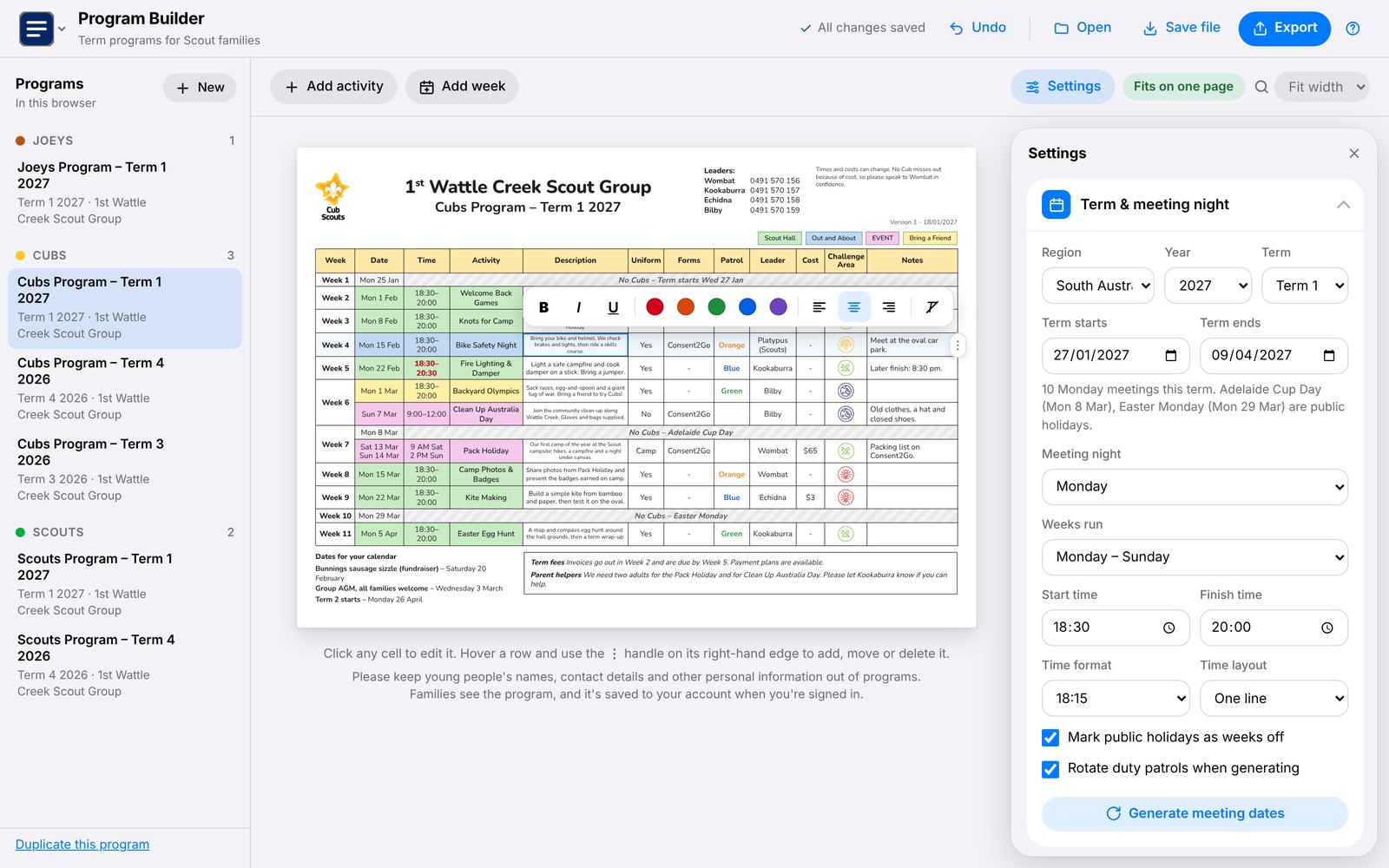
The Program Builder: programs listed by section on the left, a Cubs term program in the middle being edited, and the settings on the right

Program Builder Available now

The whole term, on one page.

Meeting nights filled in for your state's term dates and public holidays, with activities, leaders and costs. Print it, send a PDF, or add every meeting to families' calendars.

Open the Program Builder
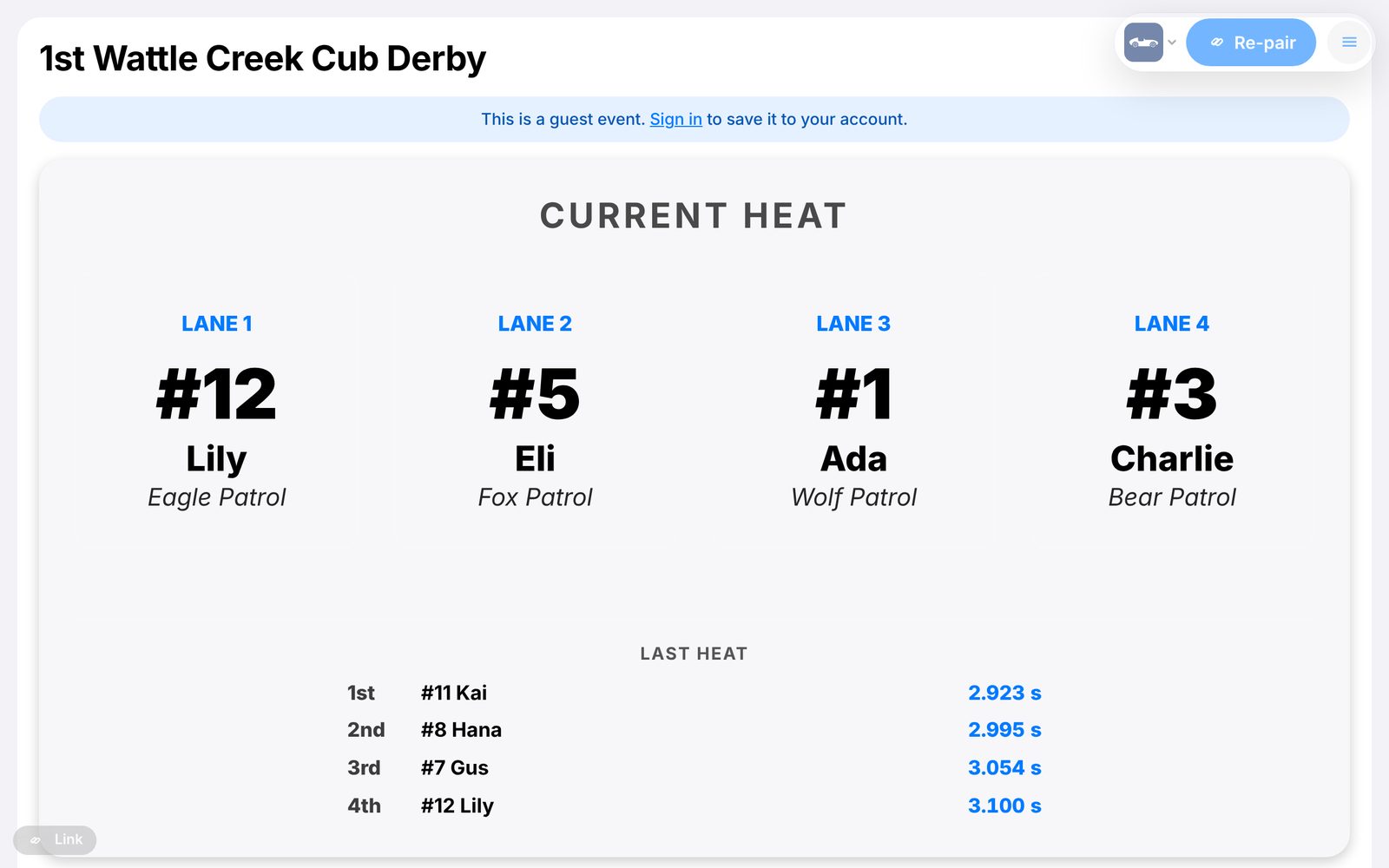
Pinewood Control's big screen: the current heat's four cars by lane, and the last heat's finishers with their times

Pinewood Control Free, always

Race night, on the big screen.

Each heat and the standings on a TV everyone can see, while a phone runs the races: tap the finishers and the next heat is drawn for you. Late entrants, a popular vote, and an electronic timer if you have one.

Open Pinewood Control
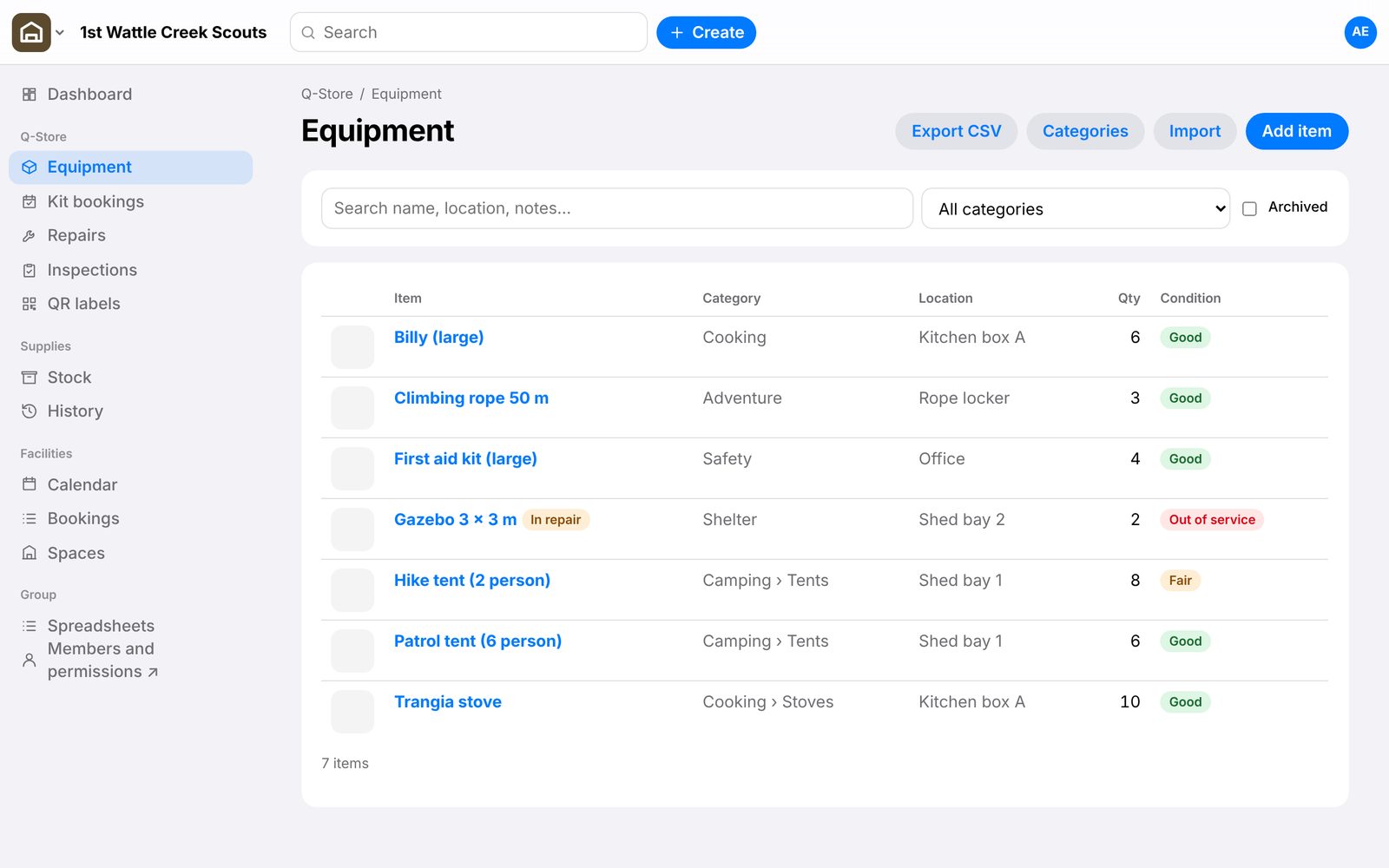
Gear: a group's equipment list with categories, storage locations, quantities and condition, and a gazebo marked in repair

Gear Available now

Know what's in the Q‑Store.

Your group's kit, uniform and badges, and halls, shared by its leaders: who has what, what needs fixing, checks that are due, and hall bookings that never clash.

Open Gear

1 of 3

Apps

One account, every app

Sign in once with your email, no password, and the same account and plan work in every qStored app.

Program Builder

Available now

Build the term's program on one page: meeting nights filled in for your state's term dates and public holidays, activities, leaders, patrols and costs, styled your way.

Open the Program Builder

Pinewood Control

Available now Free, always

Run a pinewood derby race night: a big screen shows the standings as they happen, while a phone or laptop runs the heats. Late entrants, a popular vote, and an electronic timer if you have one.

Open Pinewood Control

Gear

Available now

Your group's Q-Store, supplies and halls in one place: what kit you have, where it is and who has it, uniform and badges in stock, and hall bookings without clashes. Shared by the group's leaders.

Open Gear

The Program Builder

The whole term, on one page

  • Meeting nights done for you. Pick your state, term and night: every meeting is filled in, with its term week, and public holidays marked as weeks off.
  • Fits on one page. The text sizes itself to fit one printed page, A4 or Letter, and tells you when it does.
  • Calendars for families. One file adds every meeting, camp and event to Google, Apple or Outlook calendars.
  • Print, PDF or spreadsheet. Print it, save a PDF to send, or open the activities in Excel or Google Sheets.
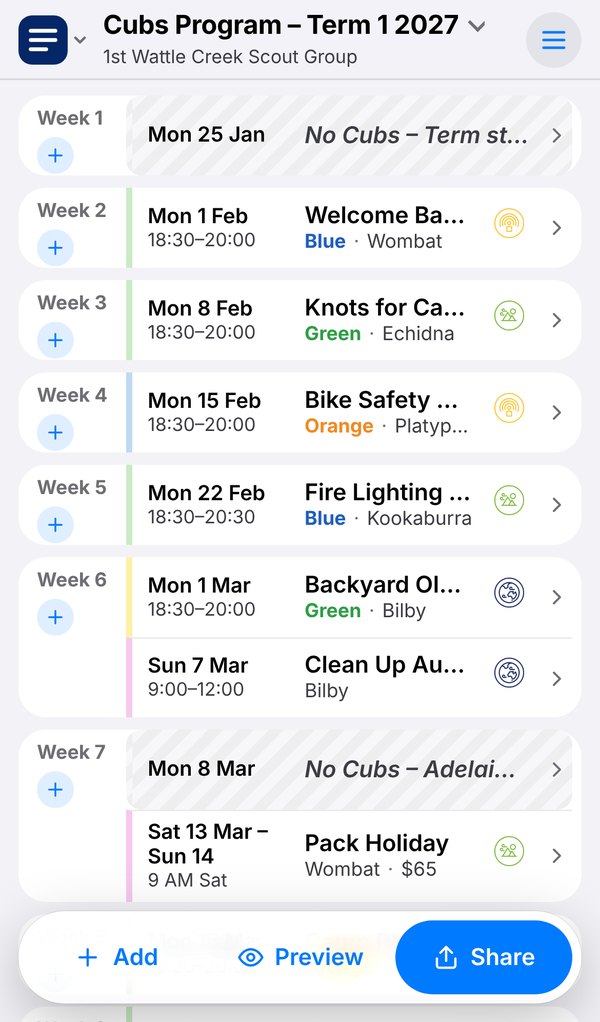
  • On your phone too. A week-by-week view for editing at the hall, with Share for the PDF.
  • Works with no signal. Changes save on your device first, and go to your account when you're back online.
The Program Builder on a phone: the term's meetings week by week

Pricing

Free to start. Premium when you want more.

One plan covers every qStored app. Paid plans are on their way, each with a 14-day free trial.

Free

For trying it out, and for most single programs.

$0

  • Build, print, PDF, spreadsheet and calendar file
  • 3 programs in your account, on any device
  • 1 program in the browser, with no account
Start free

Individual Coming soon

For a leader running a section's program.

$36 a year

  • Unlimited programs
  • Version history: bring back any earlier save from the last 90 days Soon
  • A live link for families, always up to date Soon
  • A calendar families add once, which updates itself Soon

Prices in Australian dollars. No GST is charged. Cancel any time; nothing is deleted when a plan ends.

Free, always Pinewood Control is free, and always will be: no plan needed.

Questions

Questions leaders ask

Do I need an account?

No. You can build a program straight away, and it's saved in your browser. Sign in, with just your email, to keep up to 3 programs in your account and use them on any device.

Do families need an account?

No. They get the printout, a PDF or the calendar file, the same as now. They never need to sign in to anything.

Where are my programs kept?

When you're signed in, in Google Cloud in Sydney, Australia, encrypted. Without an account, only in your own browser. You can download everything, or delete your account, at any time.

Should I put young people's details in a program?

No. Please keep young people's names, contact details and other personal information out of programs: families see them, and they're saved to your account.

Is qStored part of Scouts Australia?

No. qStored is independent. It isn't made, endorsed or supported by Scouts Australia or any of its branches.

What happens when a paid plan ends?

Nothing is deleted. Your programs can all still be opened, printed and exported; you just can't start more than the free 3 until you're under it again.
Ready for next term?

Start a program now. It takes a few minutes, and it's free.

Start a program, free